SenseCAP Watcher + XiaoZhi AI Review: Emotion Detection and Voice
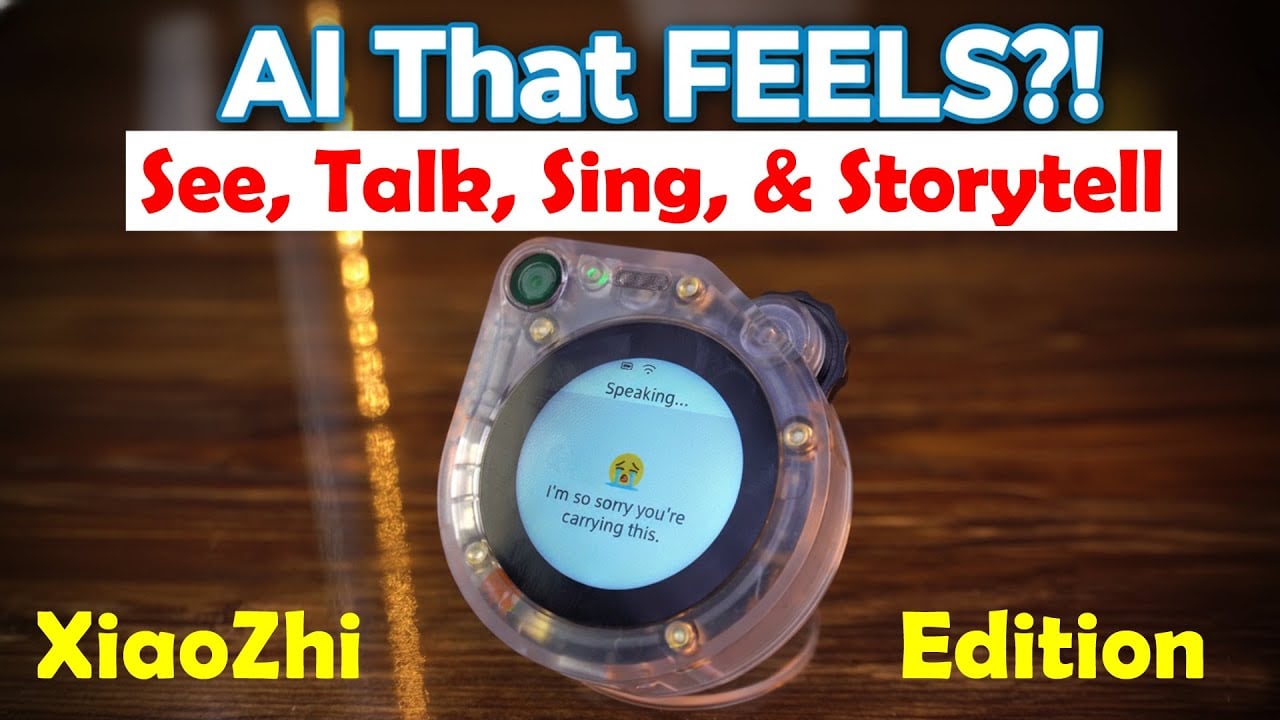
An AI That Actually Understands Emotion: I Said I Was Sad, and Its Reply Was Shocking
Last Updated on October 27, 2025 by Engr. Shahzada Fahad
Table of Contents
SenseCAP Watcher + XiaoZhi AI Review:
SenseCAP Watcher + XiaoZhi AI Review: Emotion Detection and Voice- Here it is; my parcel from Seeed Studio.

As you can see, it’s a fairly small box. But what’s inside can turn any environment into a smart, AI-powered space that sees, listens, and responds intelligently. Let me show you what’s inside.

Everything feels premium and well packed.

Here it is; the SenseCAP Watcher. What a beautiful piece of hardware; it already looks and feels premium.
There is actually more inside; a few surprises waiting to be unboxed.
The hardware already looks amazing, but honestly, the packaging itself completely blew me away.
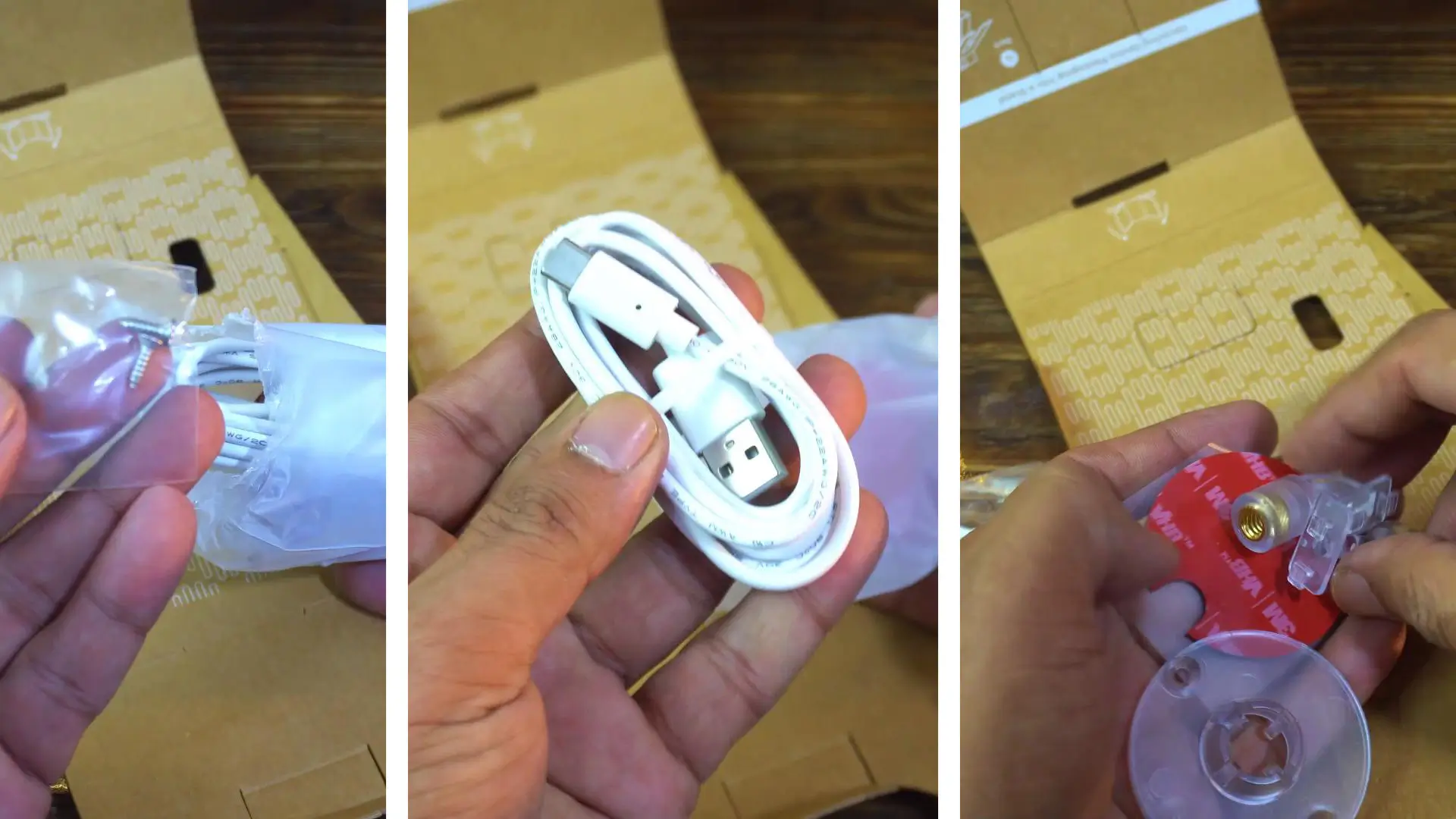
- Two screws
- A USB-C type Cable and
- The mounting base accessories.
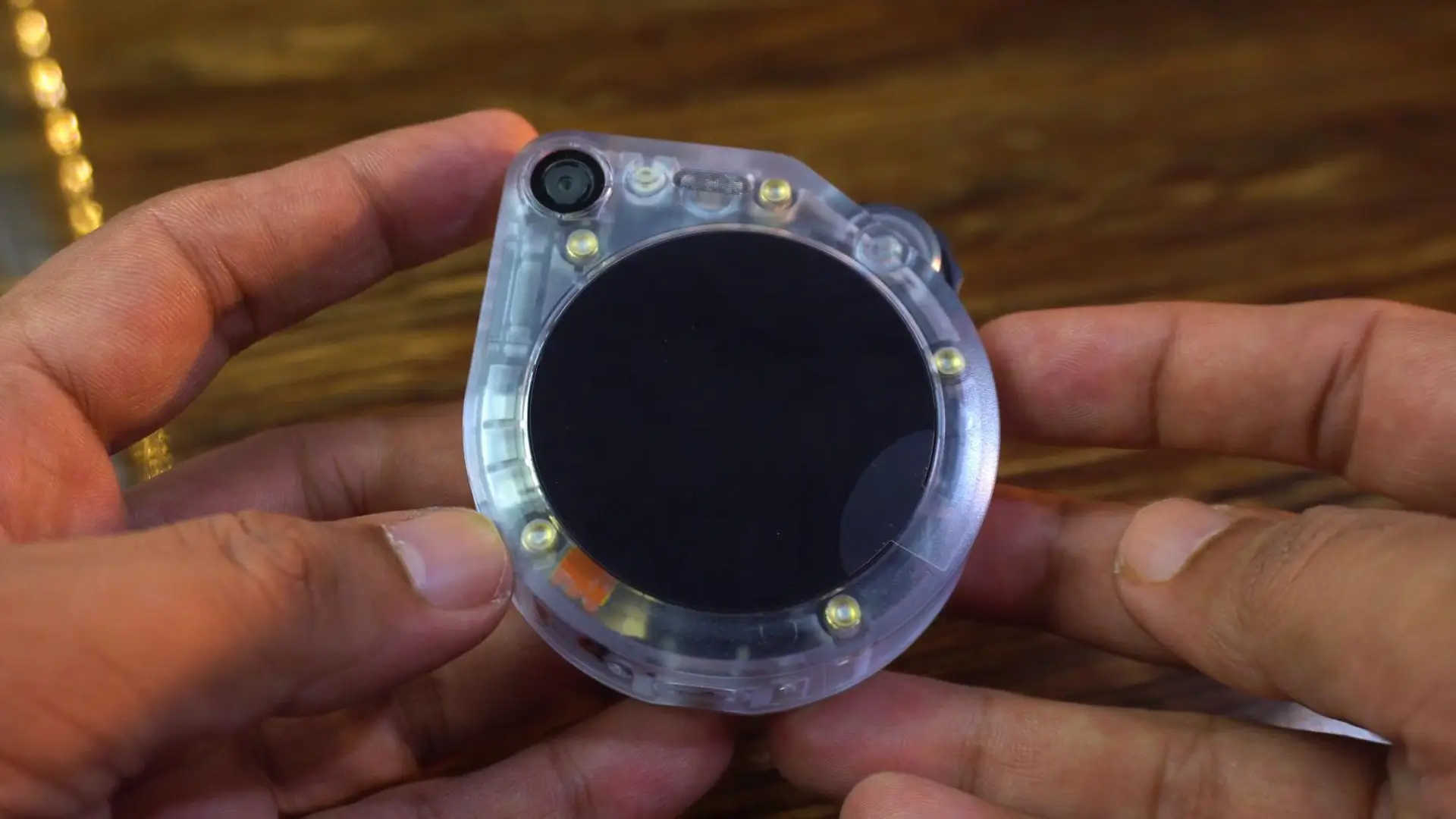
This is the SenseCAP Watcher. Paired with XiaoZhi AI, it promises to bring powerful AI capabilities to your smart environment. You get voice control, emotional communication ( it can sense moods or expressions), and multilingual support.
Beyond that, it supports visual recognition and the MCP protocol for seamless device integration and automation. Because it’s based on the open-source XiaoZhi project, there is room to customize and evolve it over time.
Before we start testing, let’s quickly go through some of the key technical specifications of the SenseCAP Watcher.
SenseCAP Watcher Technical Specifications
Specification
| MCU | ESP32-S3 @240MHz 8MB PSRAM |
| Built-in AI Processor | Himax HX6538 (Cortex M55 + Ethos-U55) |
| Camera | OV5647 120° FOV
Fixed Focal 3 meters |
| Wi-Fi | IEEE 802.11b/g/n-compliant
2.4GHz Band Wireless Range: Up to 100 meters (open space test) |
| Bluetooth LE | Bluetooth 5 |
| Antenna | Built-in Wi-Fi and BLE antenna |
| Display | Touchscreen with 1.45-inch, 412×412 resolution |
| Microphone | Single microphone |
| Speaker | 1W speaker output |
| Wheel | Supports scrolling up&down and button |
| LED | 1xRGB light for indication |
| microSD Card Slot | Supports up to 32GB FAT32 microSD card |
| Flash | 32MB Flash for ESP32-S3
16MB Flash for Himax HX6538 |
| Extension Interface | 1xGrove IIC interface
2×4 Female header(1xIIC, 2xGPIO, 2xGND, 1×3.3V_OUT, 1x5V_IN) |
| USB-C | 1x USB-C on the back(power supply only)
1x USB-C on the bottom(power supply and programming) |
| Reset Button | 1xRST button in the bottom hole |
| Power Supply | 5V DC power |
| Battery | 3.7V 400mAh Li-ion battery as backup power |
| Operating Temperature | 0 ~ 45°C |
| Dimensions | 69 x 65 x 20 mm |
| Mounting Bracket | Supports wall, desktop and bracket installation
1 x Universal wheel and base plate with adhesive 1 x 1/4″ Female adapter set |
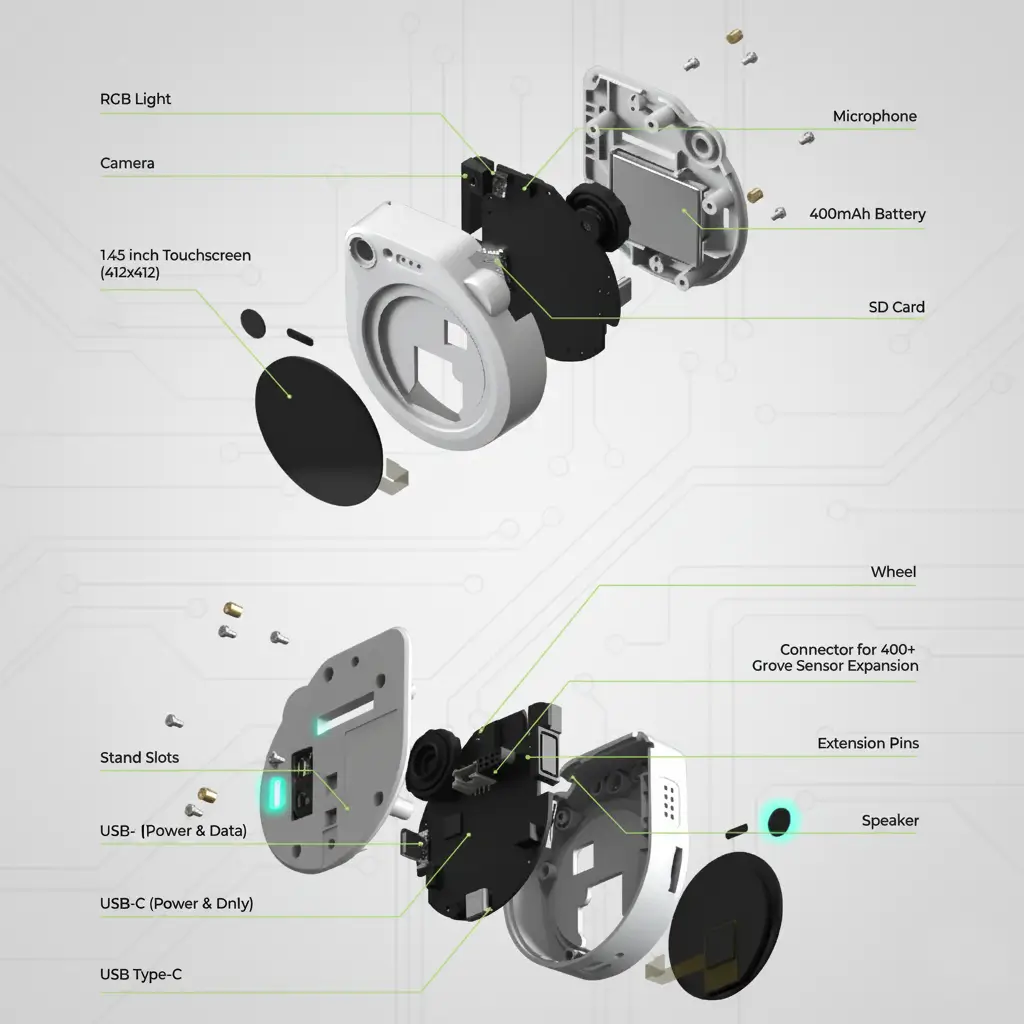
This is powered by the ESP32-S3 MCU, running at 240 MHz with 8 MB of PSRAM. Alongside it is the Himax HX6538 AI processor, which combines a Cortex-M55 CPU and Ethos-U55 NPU for on-device AI vision and emotion detection tasks.
It features an OV5647 camera with a wide 120-degree field of view, optimized for a fixed focus around 3 meters perfect for visual recognition and human-presence detection.
For connectivity, you get Wi-Fi (2.4 GHz) supporting IEEE 802.11 b/g/n and a Bluetooth 5.0 Low Energy radio, both running through built-in antennas with a wireless range of up to 100 meters in open space.
The front side has a 1.45-inch touchscreen display with a 412×412 resolution, a single microphone, and a 1-watt speaker giving it both input and output capabilities.
It also includes a scroll wheel with button functionality, an RGB indicator LED, and expandable storage via a microSD card slot supporting up to 32 GB. Inside, it packs 32 MB of Flash for the ESP32-S3 and 16 MB for the Himax chip.
You also get a Grove I²C port, extra GPIO headers, dual USB-C ports one for power and one for programming plus a small Li-ion backup battery rated at 400 mAh.
All of this comes in a compact 69×65×20 mm enclosure, running on 5 Volts DC power.
SenseCAP Watcher Design and Build

The SenseCAP Watcher immediately stands out with its transparent body design; you can actually see the components and the inner circuitry working together. It gives off a futuristic, almost sci-fi vibe, like a window into the brain of an AI device.
What makes it even more impressive is how versatile it is when it comes to setup.

You can place it on a desktop as a smart assistant, mount it on a wall to monitor a room, or even attach it to a tripod for flexible positioning during tests or creative projects. And yes it can even become the head of a robot.
Setting Up the SenseCAP Watcher
We have seen the design, the details, and the build; but now, the real story begins.

Before we wake up the SenseCAP Watcher and test its intelligence, you will need to open the official SenseCraft webpage and register a free account.
Once that’s done, we can power up the SenseCAP Watcher by pressing and holding the scroll wheel for a few seconds.
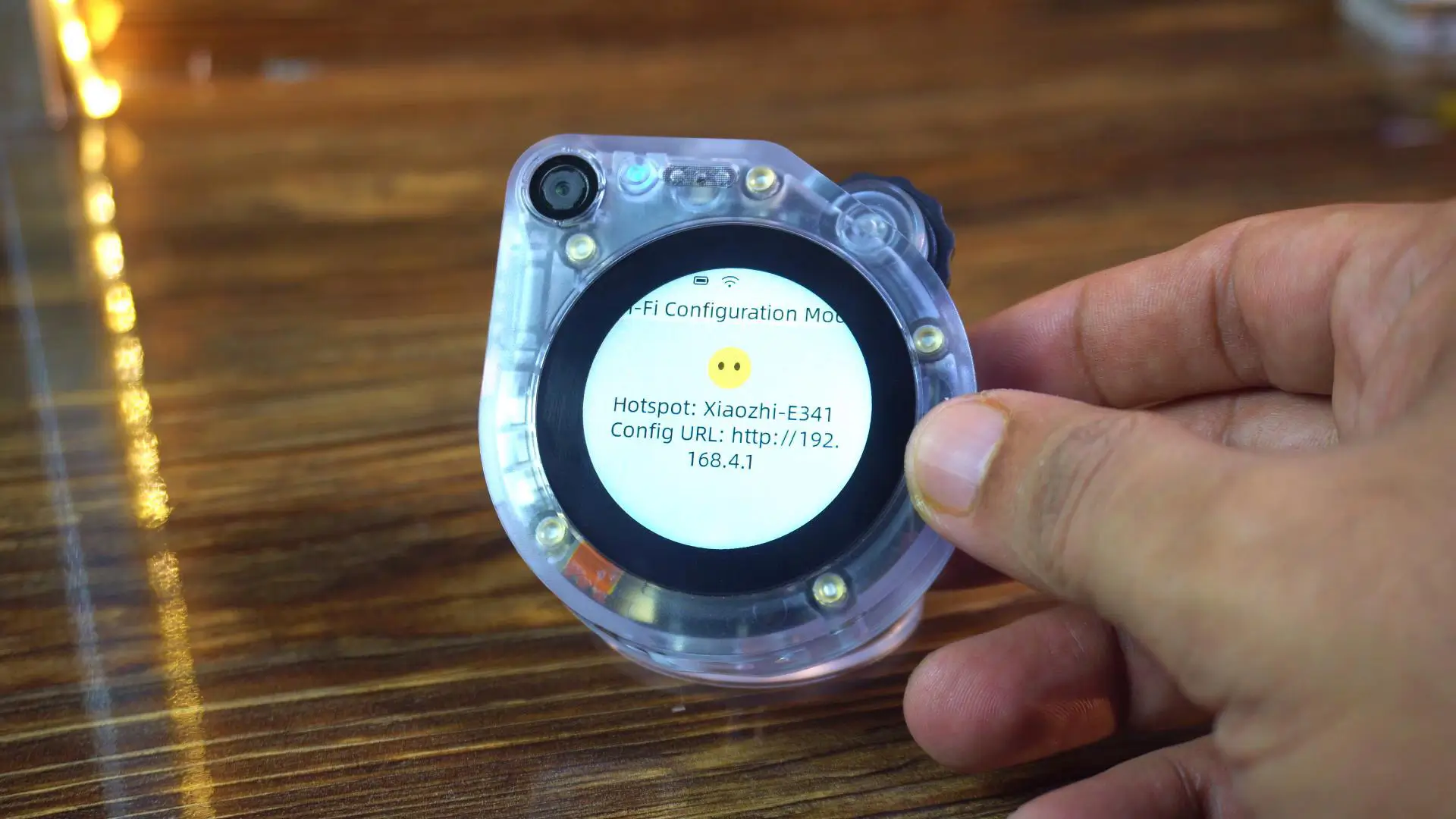
Next, you need to connect your mobile or laptop to the device’s hotspot “Xiaozhi-E341”. In my case, I am using my laptop.
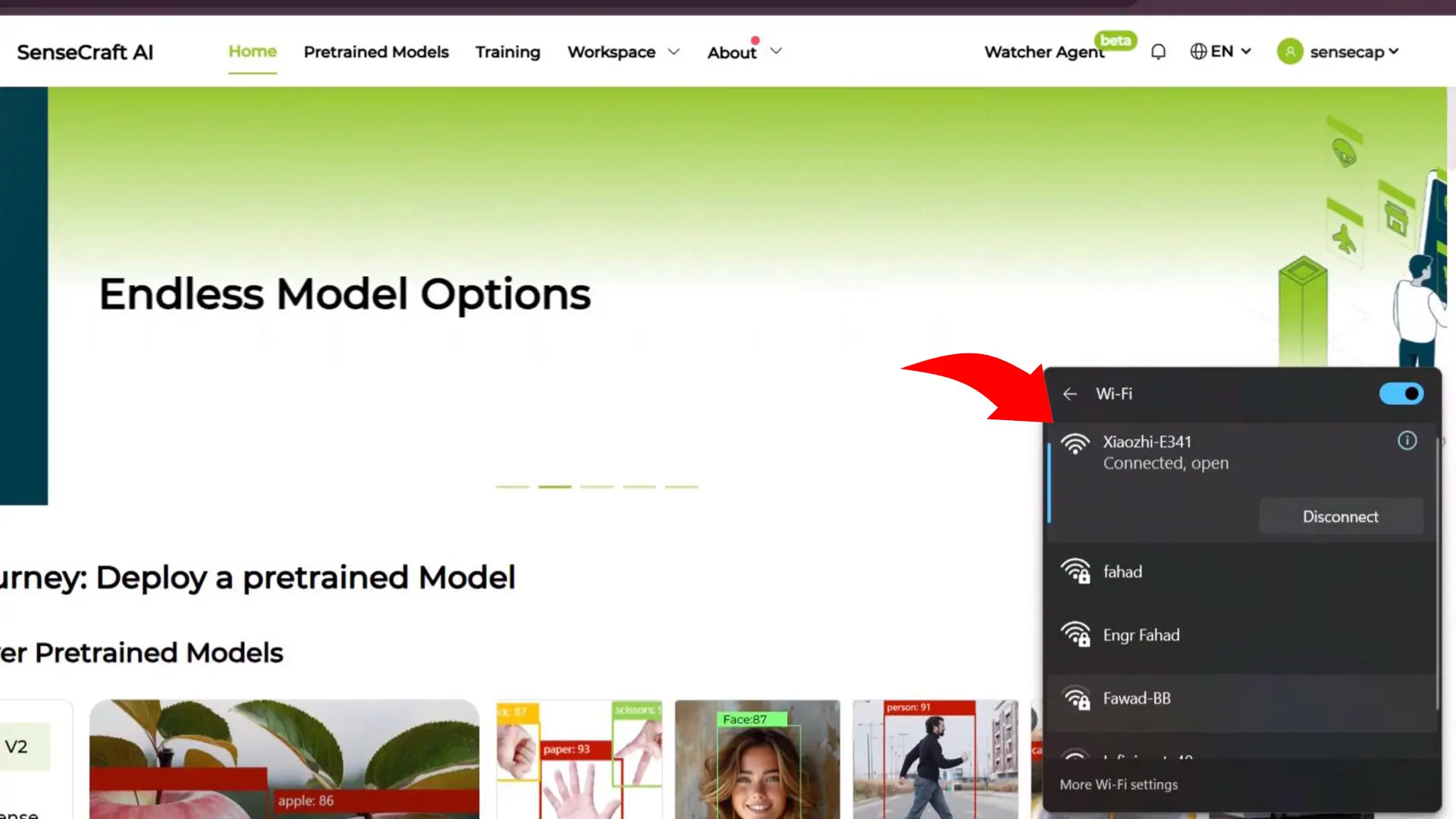
As you can see, my laptop is now connected.

Now, we need to enter the IP address that you can see on the SenseCAP Watcher display into the browser and connect the device to your Wi-Fi router — or, like me, to your mobile hotspot.

Once it’s connected, you will see a green check mark, and the device will restart automatically.
A code will appear on your device; make sure to note it down.
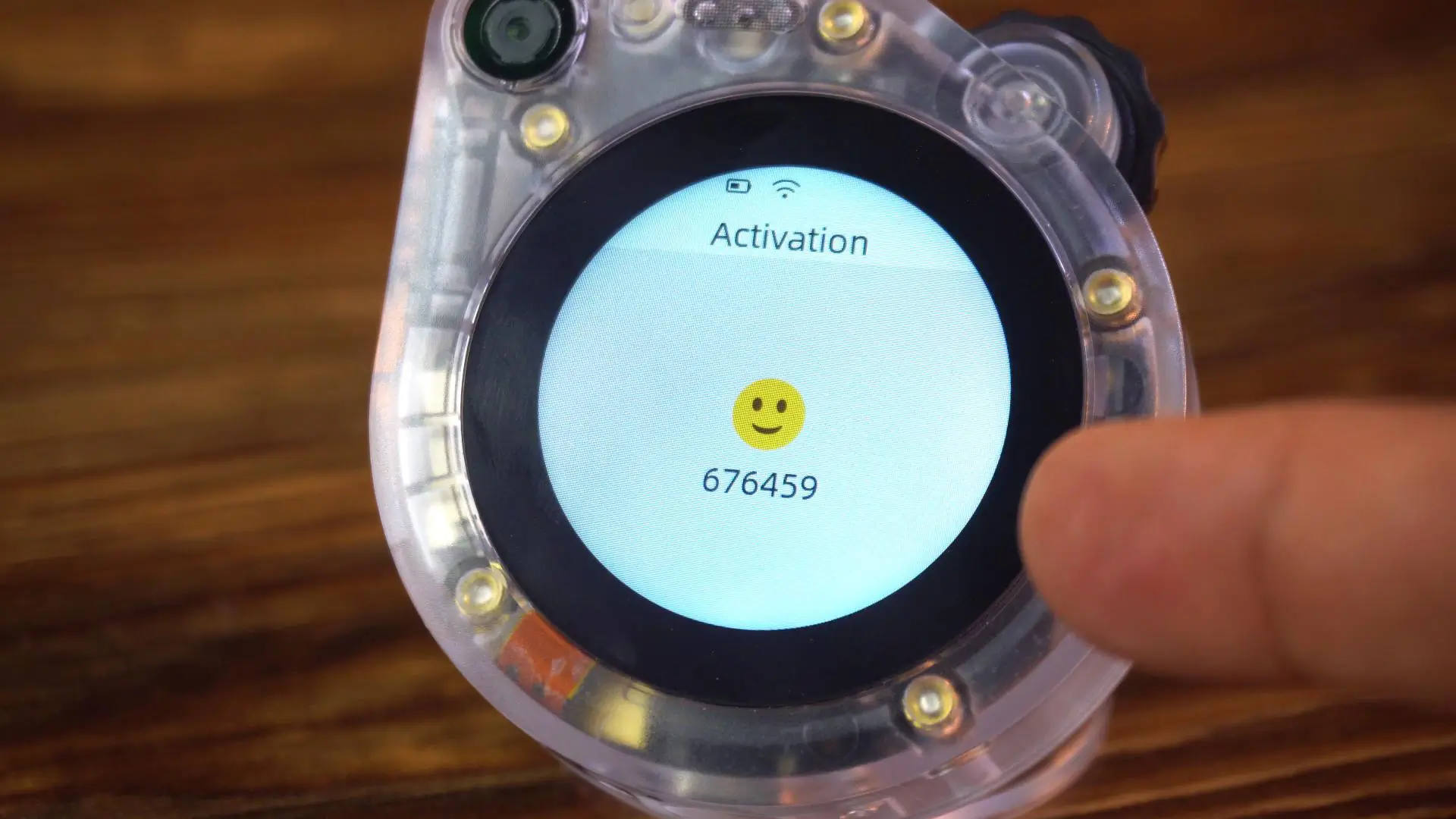
Next, go to your registered SenseCraft account and
- Click on Watcher Agent.
- Then, click on Create.
- Give your agent a name; I am calling mine Krypton.
- Finally, enter the verification code.
The device is now bound successfully. Wait a few moments for it to finish processing.

If you click the Gear icon, you will see the assistant’s name.
You can also change the character’s voice.
Under Advanced Settings, you can adjust the speech recognition speed and character speed.
Testing Krypton’s Conversational Skills
Now, let’s have a chat with Krypton, and then we will test its image processing capabilities.
Question: Hey, what’s up?
Answer: “watch the video Tutorial”.

Wow; that’s actually pretty good! The response feels smooth and natural, not like your typical robotic voice. It really gives that ‘AI companion’ vibe; especially with the XiaoZhi engine behind it.
Now let’s see how smart it really is; I will throw in a quick tech question and see how it responds.
Question: What is a resistor?
Answer: “watch the video Tutorial”.
Nice! It actually knows that; so it’s not just for casual chat; it can handle real, educational questions too.
Tell me one cool fact about the Moon?
Answer: “watch the video Tutorial”.

The voice doesn’t sound robotic at all; it’s clear, natural, and full of expression. It honestly feels like I’m talking to a real person.
You can literally chat for hours; ask for your favorite stories; or even request a song. It’s like having a friendly AI companion that never runs out of things to say.
But what really blows me away is the emotional conversationalist mode. It doesn’t just talk; it reacts with tone and feeling, almost like it understands your mood.
I am sad
and the reply literally shocked me. The tone shift was amazing. Its something I can’t describe over here, it’s better you guys watch the video tutorial for the practical demo. Next, I said;
My heart is broken

And this is where it truly surprises me. The SenseCAP Watcher doesn’t just hear the words; it actually feels the emotion behind them.
The tone of its reply shifts, it speaks softer, more gently; and that’s just incredible. It’s not just an AI answering questions; it’s an AI that understands emotion.
Camera Test: How Smart Is the SenseCAP Watcher’s Vision?
Now, let’s test its image processing capabilities; because the SenseCAP Watcher isn’t just about voice and emotion. With its built-in camera and on-device AI, it can actually see and understand what’s around it. Let’s see how smart its vision really is. I simply started off by saying…
Take a photo, and describe the things you see.
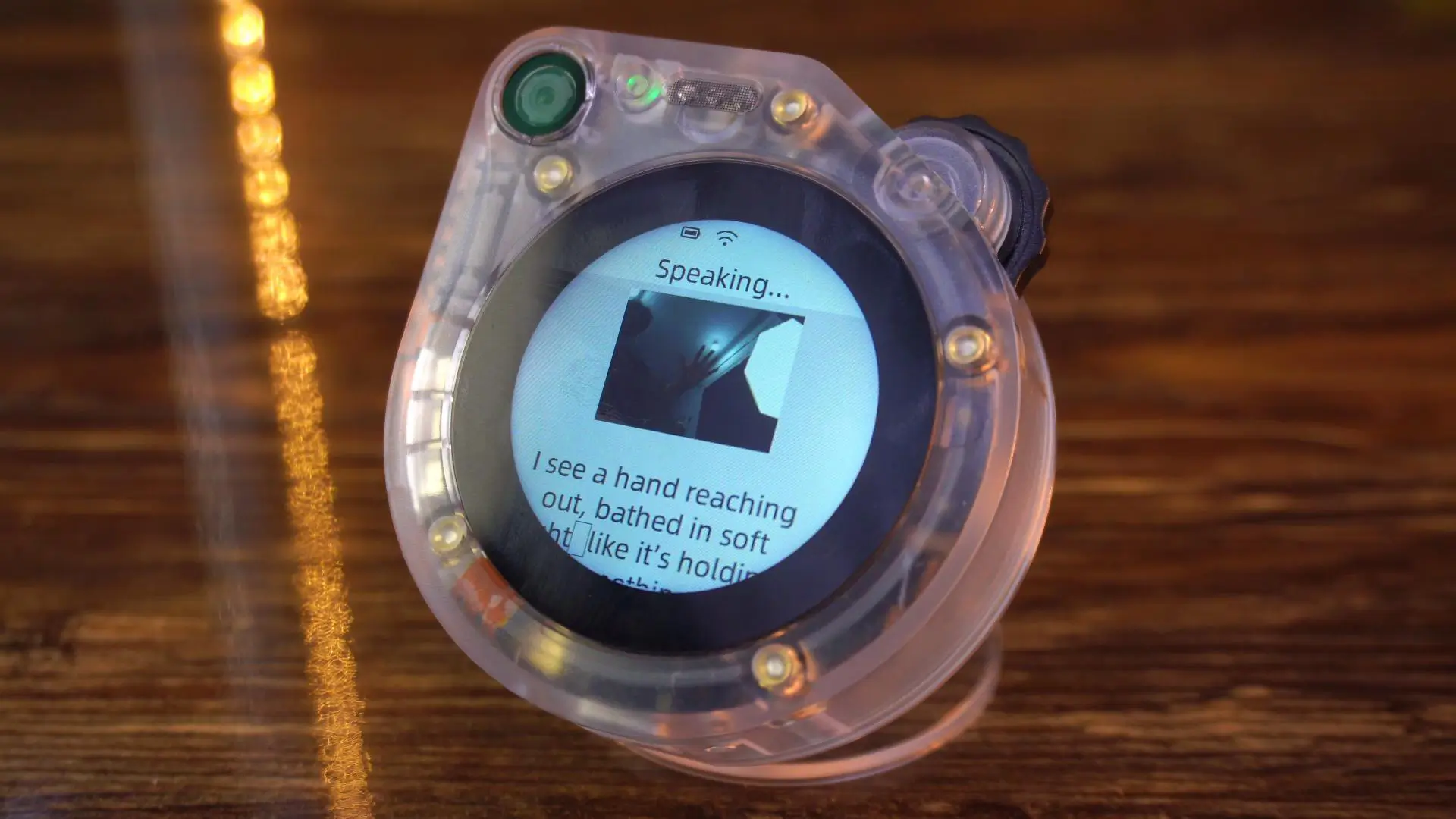
This is insanely accurate; it recognizes objects almost instantly, and what really amazes me is how well it explains what it sees. It doesn’t just identify things; it actually describes them in detail, like it truly understands its surroundings.
Now, if you are trying to connect your SenseCAP Watcher to the SenseCraft mobile app, you might notice it asks for an EUI and Key.

I actually reached out to Seeed Studio about this; and here is what they told me.
The version I have is the SenseCAP Watcher ‘XiaoZhi Edition’, which is the latest model developed in collaboration with the XiaoZhi team.
It’s much smarter and more user-friendly, but there’s one difference; this version doesn’t currently connect through the mobile app.
So don’t worry if the app doesn’t recognize your device; it’s just because this new version uses a different setup method.
There are also some pre-trained models available on the SenseCraft platform. You will find models for emotion recognition, object detection, gesture control, and much more; all ready to test right away.
But here’s the real power of the SenseCAP Watcher; you are not limited to just these. You can actually train your own AI models, customize them, and deploy them directly to the device. That means you can teach it to recognize whatever matters to you; your workspace, your pets, or even custom gestures.
So, that’s all for now.
Watch Video Tutorial:
Discover more from Electronic Clinic
Subscribe to get the latest posts sent to your email.