RDK S100 Review & Setup: 80 TOPS AI Robot Development Kit by D-Robotics
Last Updated on December 26, 2025 by Engr. Shahzada Fahad
Table of Contents
Description:
RDK S100 Review & Setup D-Robotics Robot Development Kit 80 TOPS Ai- The RDK S100 from D-Robotics is not just another development board; it’s a full-scale AI robotics platform designed for serious builders, researchers, and engineers.
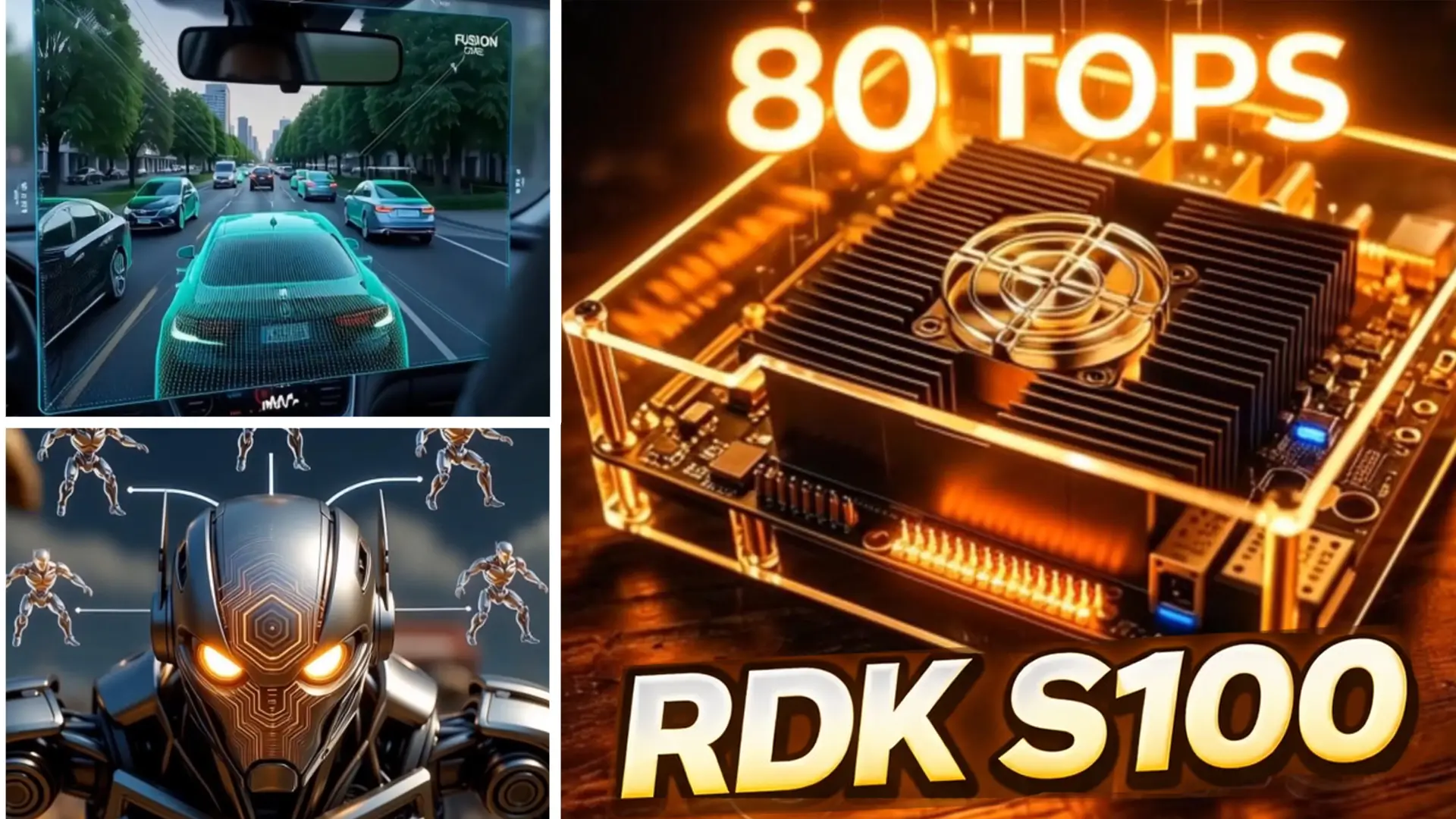
In this detailed review and setup guide, we take a close look at what makes the RDK S100 Robot Development Kit one of the most powerful edge-AI boards available today.
This box has one of the most powerful robot kits I have ever tested; the D-Robotics RDK S100 with BPU AI acceleration.

The first thing I pulled out of the parcel was this box; the RDK S100 Developer Kit.
The packaging looks clean and premium, and it clearly shows that this is a robot development kit made for high-performance projects.
The next thing I pulled out of the parcel is this box;

The RDK S100 MCU Port Expansion Board.
This is an add-on module for the RDK S100, and it gives you extra MCU ports, more control options, and better connectivity for robotics projects.
The next box I found in the parcel is;

The RDK S100 Camera Expansion Board. This is another add-on for the RDK S100.
And inside the parcel… I even found a pair of socks!
Thank you, D-Robotics; this was a fun surprise!
Amazon Links:
RDK S100 MCU Port Expansion Board
RDK S100 Camera Expansion Board
*Please Note: These are affiliate links. I may make a commission if you buy the components through these links. I would appreciate your support in this way!
So overall, I am really impressed with what comes inside the package
You are not just getting a development board; you are getting a complete AI-robotics ecosystem ready for serious projects.

Now, we have got a lot of exciting hardware here; the main kit, the MCU expansion board, and the camera module; and I will walk you through all of them.
But first, let’s start with the heart of this whole system: the RDK S100.

Wow! I have honestly never seen anything like this before in a robotics development kit.
The design immediately catches your attention. It looks solid, industrial, and extremely well-engineered.
Just look at this; a beautiful transparent acrylic case, stacked with metal standoffs, giving you access to the board from all sides.
Underneath this heatsink is the main powerhouse; the BPU-accelerated processing unit that makes the RDK S100 capable of handling advanced AI workloads.
All around the edges, you get so many interfaces; GPIOs, camera ports, USB ports, network ports, expansion connectors… everything a robotics engineer could want.
Some ports are easily accessible right here, and for some others, we will have to remove this top acrylic plate to get a closer look. But what I love is that all of these interfaces are clearly labeled.

D-Robotics has uploaded high-resolution images on their official website, and everything is marked cleanly; so you always know what goes where.

Instead of wasting time reading labels one by one,
I think it’s better if I jump straight into the technical specifications, because that’s where this board really shines.
AI Performance 80 TOPS
The RDK S100 gives you 80 TOPS, which means 80 trillion AI operations every second—in simple words, your robot can think insanely fast. With this level of power, the board can do everything in real time: detect objects instantly, track faces and gestures, run SLAM for mapping and navigation, and fuse camera, LiDAR, and IMU data with zero lag.
And the best part?
No cloud, no delay, no internet required—everything happens right on the board.
For comparison, Raspberry Pi AI kits offer around 1–4 TOPS, many laptops reach 40–50 TOPS, but the RDK S100 delivers a full 80 TOPS, and the S100P version jumps to 128 TOPS, which is basically mini self-driving-car hardware. So 80 TOPS isn’t just a number—it’s the difference between a slow robot and a smart robot.
CPU — 6× Arm Cortex-A78AE
The main CPU cluster uses six Arm Cortex-A78AE cores running at 1.5GHz.
These are automotive-grade CPUs — the same class used in autonomous driving systems.
This gives you extremely stable performance for multitasking, sensor fusion, and high-level robot control.
The S100P bumps this to 2.0GHz, so if you need extra horsepower for heavier applications, that variant is the beast.
MCU — 4× Arm Cortex-R52+
Now this is something you rarely see on AI kits: a dedicated MCU subsystem.
Four Cortex-R52+ real-time microcontroller cores running at 1.2GHz.
These are designed for motor control, safety loops, real-time tasks, and deterministic robotics behavior.
This means your AI workloads and your low-level control tasks never interfere with each other.
Perfect for mobile robots, manipulators, and autonomous platforms.
GPU — Mali-G78AE
You also get an Arm Mali-G78AE GPU capable of 100 GFLOPS.
This is great for graphics rendering, UI, augmented reality overlays, and accelerating some vision workloads.
Memory — 12GB LPDDR5 (96-bit)
The RDK S100 comes with 12GB of fast LPDDR5 memory using a wide 96-bit interface.
Why does this matter?
Because AI models, video streams, and sensor data eat RAM like crazy.
This wide memory bus keeps everything smooth — no bottlenecks, no stuttering.
And again, the S100P doubles this to 24GB, which is huge for large models.
Storage — 64GB eMMC + M.2 Slot
The onboard 64GB eMMC is fast enough for the OS, logs, and medium-sized models.
But the real advantage is the M.2 Key M slot.
You can add a high-speed NVMe SSD, making this board perfect for datasets, AI model libraries, or robotics frameworks.
Display Output — HDMI 1.4 (2K@60FPS)
You can plug in a monitor and run dashboards, GUIs, or debugging tools directly on the board.
Networking — Dual Gigabit Ethernet
Two Gigabit Ethernet ports.
This is a dream for robot developers; you can dedicate one port to your robot’s network and the other to your PC, ROS2 setup, or cloud system.
It keeps everything stable and fast.
And there’s also an M.2 Key-E slot for Wi-Fi and Bluetooth, so wireless connectivity is easy too.
Ports — Plenty of I/O
You get:
USB-C for flashing and debugging
Four USB 3.0 ports for cameras, LiDAR, sensors
A 40-pin main GPIO header
A 16-pin MCU GPIO header
Camera expansion
MCU expansion
JTAG
Automated test header
This is one of the most expandable boards I’ve ever seen.
Power — 12–20V
It accepts a flexible 12–20V input, so you can run it from adapters, robot batteries, or DC power systems. Very convenient for field robotics.

So with this kind of hardware; AI acceleration, real-time MCUs, tons of interfaces, and massive expandability; the RDK S100 isn’t just a development board.
It’s a complete, high-performance robotics brain.
RDK S100 MCU Port Expansion Board:
This is the RDK S100 MCU Port Expansion Board.
This expansion board is all about real-world control; motors, sensors, encoders, and external hardware.

1.MCU expansion board 100PIN connector
for connecting to the RDK S100 development board
2.CAN screw terminal × 5
3.RJ45 Gigabit Ethernet port
4.30PIN header
The D-Robotics RDK S100 MCU Port Expansion Board is an interface board designed to extend the RDK S100’s connectivity for real-world robotics and industrial applications.

It connects to the main RDK S100 board via an FPC ribbon cable “RDK S100 MCU Port Expansion Board FPC” and breaks out essential interfaces into robust, easy-to-use connectors, including Ethernet, CAN bus, GPIO, and serial communication lines.

The presence of screw terminals makes it suitable for stable sensor, actuator, and motor-driver connections, while onboard interface and protection circuitry helps isolate and safeguard the main AI board from electrical noise.

Overall, this expansion board transforms the RDK S100 from a compact AI computing module into a practical robot controller capable of handling networking, field communication, and hardware control in demanding environments.
RDK S100 Camera Expansion Board:

Next up, the RDK S100 Camera Expansion Board; because an AI robot without vision…
isn’t really intelligent.

The Fakra-Mini 4-in-1 interface is a compact, automotive-grade connector designed to simplify camera connections on embedded vision boards. It combines video, power, control, and data signals into a single rugged connector, reducing cable clutter while ensuring high-speed, noise-resistant transmission. Thanks to its small size and vibration-proof design, it’s ideal for multi-camera AI systems, robotics, and ADAS applications where reliability and space efficiency really matter.

You will notice the ports are clearly labeled CAM1 and CAM2, which makes the whole setup quick and hassle-free. Now over here, I am connecting the stereo camera, exactly the same way we connected it on the RDK X5.
So now, I have connected the stereo camera with the RDK S100, and at this point; everything is fully set up and ready to go.

The hardware is connected, the vision system is in place, and now this board is officially ready for real-world AI and robotics experiments.
First Power Up:

As you can see, everything is now connected and ready.
We have the RDK S100 at the center,
The Camera Expansion Board connected,
The MCU Port Expansion Board hooked up,
And the stereo camera plugged in and ready for AI vision.
I have also connected the Ethernet cable for networking,
The keyboard and mouse for control,
And of course, the power adapter is already in place.
And honestly, what I really like here is how easy this entire setup was.
No complicated wiring, no confusion; everything is clearly labeled, plug-and-play, and beginner-friendly.
This is exactly how a serious AI robotics development kit should be.
So now that everything is connected…let’s go ahead and turn it on.

Green LED solid, red LED blinking; that’s your sign everything is working perfectly.
Just wait a few seconds; no setup, no commands.
And boom!

You are already on the desktop.
I honestly haven’t seen an AI robotics kit this simple and hassle-free before.
I spent some time using it so I could properly understand the experience.
And even though this is my first time using it, nothing feels complicated at all.
If you’ve ever used a computer before, you won’t feel lost or confused here.
The interface feels familiar, responsive, and easy to navigate;
which honestly makes a huge difference, especially for beginners.
It doesn’t feel like you are fighting the system; it feels like you’re ready to start building.
Now, since this is a robotics kit, it’s not meant to be used like a normal PC.
This is something you use to control robots, autonomous cars, and smart machines,
to run advanced image processing, AI vision, and real-time decision-making systems.
So I will be spending a few more days working with the RDK S100, really pushing it and exploring what it can do.
And just like the RDK X5, I will be controlling hardware, motors, sensors, and cameras directly from this board.
We are going to build some really amazing image-processing and AI-based projects on this.
So for now… that’s all.
Frequently Asked Questions (FAQs)
What is the RDK S100 used for?
The RDK S100 is an advanced AI robotics development kit designed for building autonomous robots, AI vision systems, SLAM-based navigation, industrial automation, and edge-AI applications. It’s ideal for robotics engineers, researchers, and developers working on real-time AI systems without cloud dependency.
What is the difference between the RDK S100 and the RDK X5?
The RDK S100 and RDK X5 are both robotics development platforms by D-Robotics, but they target different performance levels:
RDK S100 delivers 80 TOPS AI acceleration, higher CPU power, and wide real-time I/O support, making it suitable for advanced robotics and real-world autonomous systems.
RDK X5 is a more budget-friendly platform with lower AI throughput (typically in the single-digit TOPS range), designed for entry-level robotics and simpler AI tasks.
In short: RDK S100 = high-performance edge AI, while RDK X5 = affordable robotics starter kit.
How powerful is the RDK S100 compared to Raspberry Pi AI boards?
The RDK S100 delivers 80 TOPS of AI performance, while most Raspberry Pi AI solutions offer around 1–4 TOPS. This enables the S100 to run complex AI models like object detection, SLAM, and multi-sensor fusion in real time far beyond what Raspberry Pi AI boards can handle.
Does the RDK S100 outperform the RDK X5 in AI tasks?
Yes. The RDK S100’s 80 TOPS BPU accelerator substantially outperforms the RDK X5’s lower AI throughput. This makes the S100 better at advanced tasks such as high-resolution vision processing, real-time SLAM, and large neural network inferencing, whereas the X5 excels for simpler or educational AI projects.
What does 80 TOPS mean in AI robotics?
80 TOPS means the board can execute 80 trillion AI operations per second. In robotics, this translates to faster decision-making, real-time object detection, smooth autonomous navigation, and the ability to process multiple sensors (cameras, LiDAR, IMU) simultaneously without lag.
Does the RDK S100 require an internet connection to run AI models?
No. The RDK S100 runs all AI workloads locally on the board using its onboard BPU accelerator. No cloud connection or internet access is required, which is critical for real-time robotics, privacy-sensitive applications, and field deployments.
What operating system does the RDK S100 use?
The RDK S100 runs a Linux-based OS optimized for AI and robotics development. The desktop interface feels familiar and user-friendly, making it accessible even for users transitioning from traditional PCs to robotics platforms.
Is the RDK S100 suitable for ROS2?
Yes. Thanks to its powerful CPU, real-time MCU subsystem, and dual Gigabit Ethernet, the RDK S100 is well-suited for ROS2-based robotics development, including distributed control, sensor fusion, and perception pipelines.
How does the RDK X5 compare for ROS2 projects?
The RDK X5 supports ROS2 but is better suited for lightweight robotics tasks due to its lower performance. For larger ROS2 systems with multiple sensors and heavy perception workloads, the RDK S100 is the superior choice.
What is the purpose of the RDK S100 MCU Port Expansion Board?
The MCU Port Expansion Board extends the RDK S100’s real-time control capabilities by exposing CAN bus, Ethernet, GPIO, and serial interfaces. It’s ideal for connecting motors, encoders, sensors, and industrial hardware while keeping real-time tasks isolated from AI workloads.
What cameras are supported by the RDK S100 Camera Expansion Board?
The Camera Expansion Board uses Fakra-Mini automotive-grade connectors, supporting stereo cameras and multi-camera setups. This is ideal for AI vision, depth sensing, object tracking, and autonomous navigation.
Can the RDK S100 be used for autonomous vehicles or mobile robots?
Yes. With automotive-grade CPUs, real-time MCUs, 80 TOPS AI acceleration, CAN bus support, and multi-camera capability, the RDK S100 is well-suited for mobile robots, robotic arms, autonomous vehicles, and AGV platforms.
Is the RDK S100 worth the price?
Considering its 80 TOPS AI performance, real-time control subsystem, automotive-grade hardware, and expandability, the RDK S100 offers excellent value for anyone building serious AI robotics projects. It replaces the need for separate AI accelerators and controllers in a unified platform.
Watch Video Tutorial:
Discover more from Electronic Clinic
Subscribe to get the latest posts sent to your email.

Thanks for the deep dive! Quick spec-check: the 80 TOPS figure—is that measured on INT8 or FP16 precision? And does the Cortex-R52+ MCU subsystem expose its 1.2 GHz cores to FreeRTOS/Xenomai out-of-the-box, or do we need D-Robotics’ custom BSP to hit those deterministic timings? Hoping to benchmark this against the Jetson Orin Nano for a low-latency SLAM node.