RDK X5 Edge AI Projects with Real-Time Vision for Drones and CCTV
Last Updated on March 9, 2026 by Engr. Shahzada Fahad
Table of Contents
Description:
This camera doesn’t just see you… it knows what you are doing.
And that intelligence isn’t coming from a PC, the cloud, or an external AI accelerator. It’s all happening on a tiny board called the RDK X5.
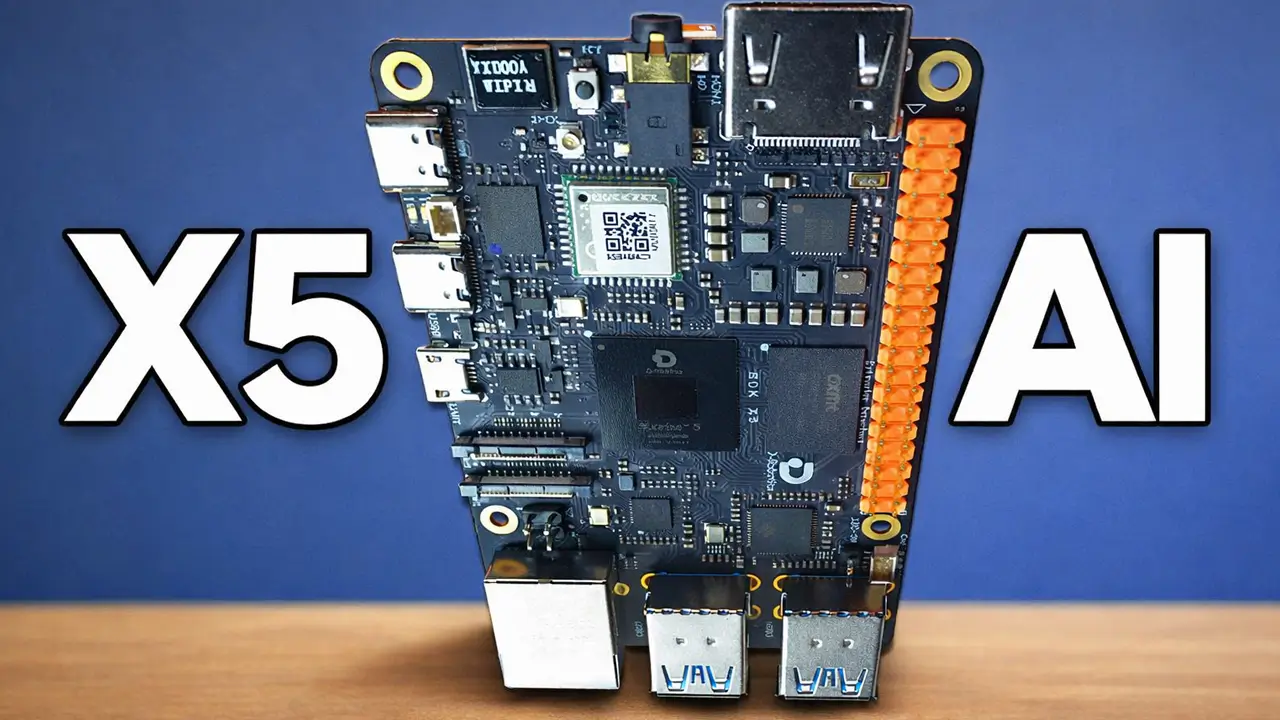
In this article, I am going to demonstrate practical RDK X5 Edge AI Projects that prove you don’t need a massive computer to run advanced computer vision.
One board, no AI HAT, no extra hardware. You connect a camera, power it on, and real-time AI vision comes to life.
From running YOLOv10 for advanced ADAS and building a smart CCTV system with region-based recording, to controlling an autonomous AI drone with a Pixhawk flight controller; everything happens locally. It’s about detecting people, understanding movement, tracking body skeletons, and making instant decisions right at the edge. Small in size, but built for serious AI.
While I was digging into the RDK X5; reading docs, testing things, doing normal research; I found a flight controller on Meshnology.com where the RDK X5 is built right in.

It works together with a Pixhawk controller, and suddenly flight isn’t just about motors anymore…it’s about intelligence.
They are defined by computing power. This compact system brings real onboard AI to the drone, letting it see its surroundings, understand depth, recognize obstacles, and react instantly; all without sending data to the cloud.
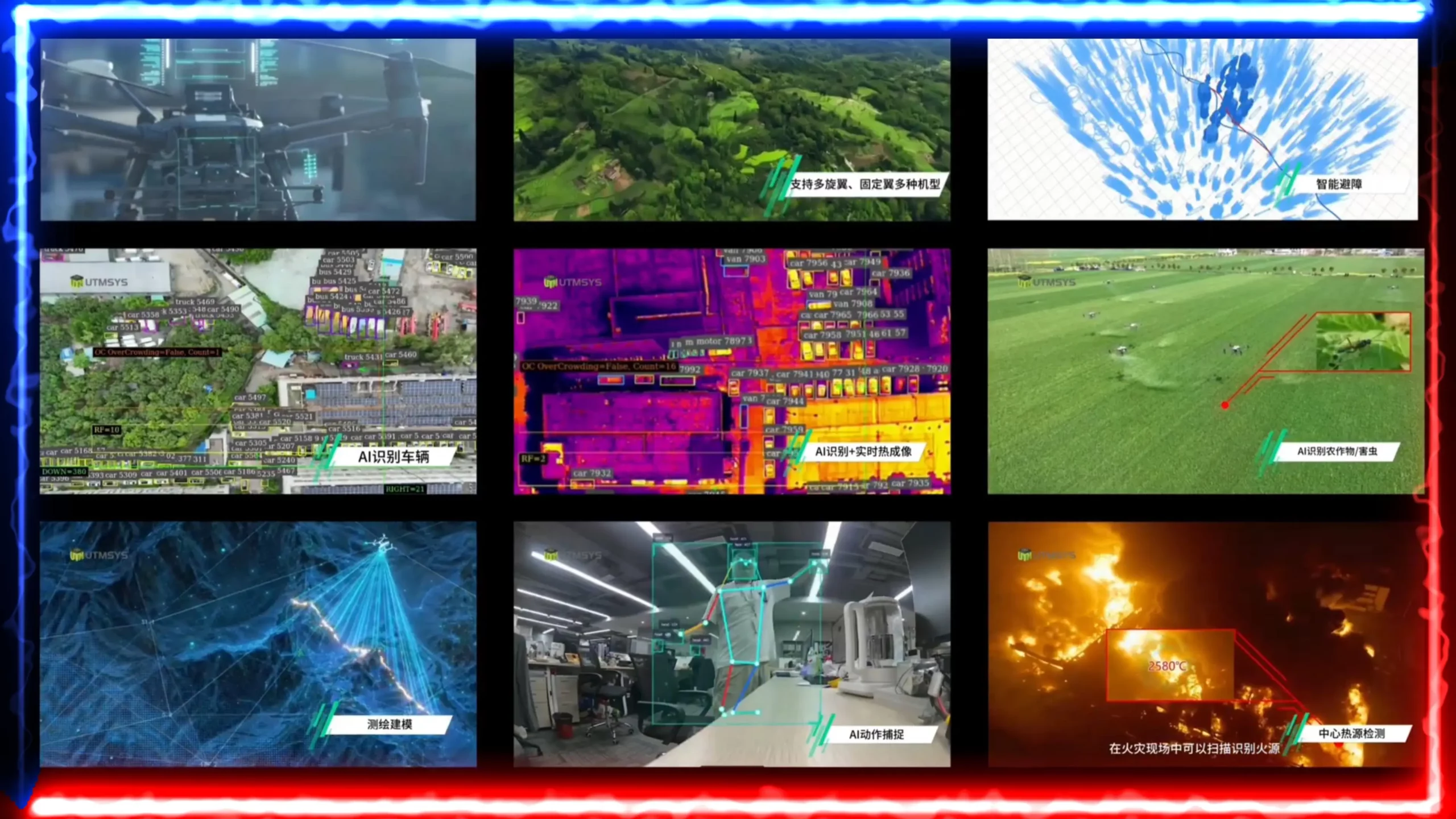
Whether it’s navigating complex urban spaces, mapping environments in 3D, tracking moving targets, or responding in critical situations, everything happens right there on the drone, in real time.
No companion computer, no extra AI box; just one intelligent system executing decisions as it flies.
And that’s when it hit me: the future of drones isn’t just about how high they fly; it’s about how intelligently they understand the world around them.
Seeing all this, some of you might be thinking this looks complicated.
But honestly, what seems complex at first is actually much easier than it looks. I have already built several projects using the RDK X5, and now I am going to share them with you; so you can get a real idea of what the AI capabilities of the RDK X5 look like in practice.
This is just the beginning. I am starting a long video series where we will build many different projects together, and I will explain everything step by step, from start to finish.
Amazon Links:
Other Tools and Components:
ESP32 WiFi + Bluetooth Module (Recommended)
Arduino Nano USB C type (Recommended)
*Please Note: These are affiliate links. I may make a commission if you buy the components through these links. I would appreciate your support in this way!
Basic CCTV System:
Let’s start with AI vision in security.

This is a simple CCTV system running on the RDK X5. And after this, I’ll also show you a more advanced version.
Right now, I can view the live camera feed directly on my monitor, and I can also access it on my laptop wirelessly, without any physical connection.

I have already explained VNC and SSH in previous article and video, so I won’t go into detail here.
In the program, you can set your detection target as well. At the moment, I have set the target to person, which means the system will only detect and track humans. I have also added date and time stamps, just like a real CCTV camera.
Now, if I press the R button, the recording starts.
And if I press the R button again, the recording stops.

As you can see, the recording quality is really good. You can see the red recording indicator, proper date and time stamps, and most importantly, the system is actively tracking the person in real time.
Automatic Recording with region selection:
This second version is fully automatic.
And just like before, you can track any object you want.
As you already know, in normal CCTV systems, recording keeps running all the time; without any real reason. Most of that footage is completely useless.

But in the CCTV system I built, you can define your own custom region. You can create simple regions or even very complex ones.
If you are outside this defined region, recording will not start.

But the moment you enter the region, a timer begins. And if you stay inside that region for a specific amount of time, the recording will automatically start.
However, if you leave the region before the predefined time is reached, the recording will not start at all.
Imagine someone’s house is right next to a busy road or a market. People are passing by all the time. With a normal CCTV camera, the system keeps recording non-stop, even when nothing important is happening. That means wasted storage and hours of useless footage.
But with this system, you can define a specific region, like just your gate, entrance, or driveway. If people are simply walking on the road outside that region, the system ignores them completely. Recording does not start.
Occupied Chair / Bed Monitoring
This is an occupied chair detection project.

The system knows if a chair is empty or occupied.
Based on that… the LED turns ON or OFF.

This is ideal for hospitals; patient beds, waiting chairs, airports, and public places.
Simple idea; powerful impact.
Find and Locate Any Object (Real-Time)
Now this is one of my favorite features.

I can enter the name of any object in real time.

And the RDK X5 finds it through the camera.
When the target object is detected…
The LED turns ON automatically.
This is real-time AI decision-making.
Zone Security System
Here we have zone-based security.

Normal area… and prohibited area.

Using body landmarks with MediaPipe and OpenCV…
And also high-FPS human detection using YOLOv5.

Fast… accurate… and reliable.
YOLOv10 ADAS
This is next-level AI.
YOLOv10-powered ADAS system.
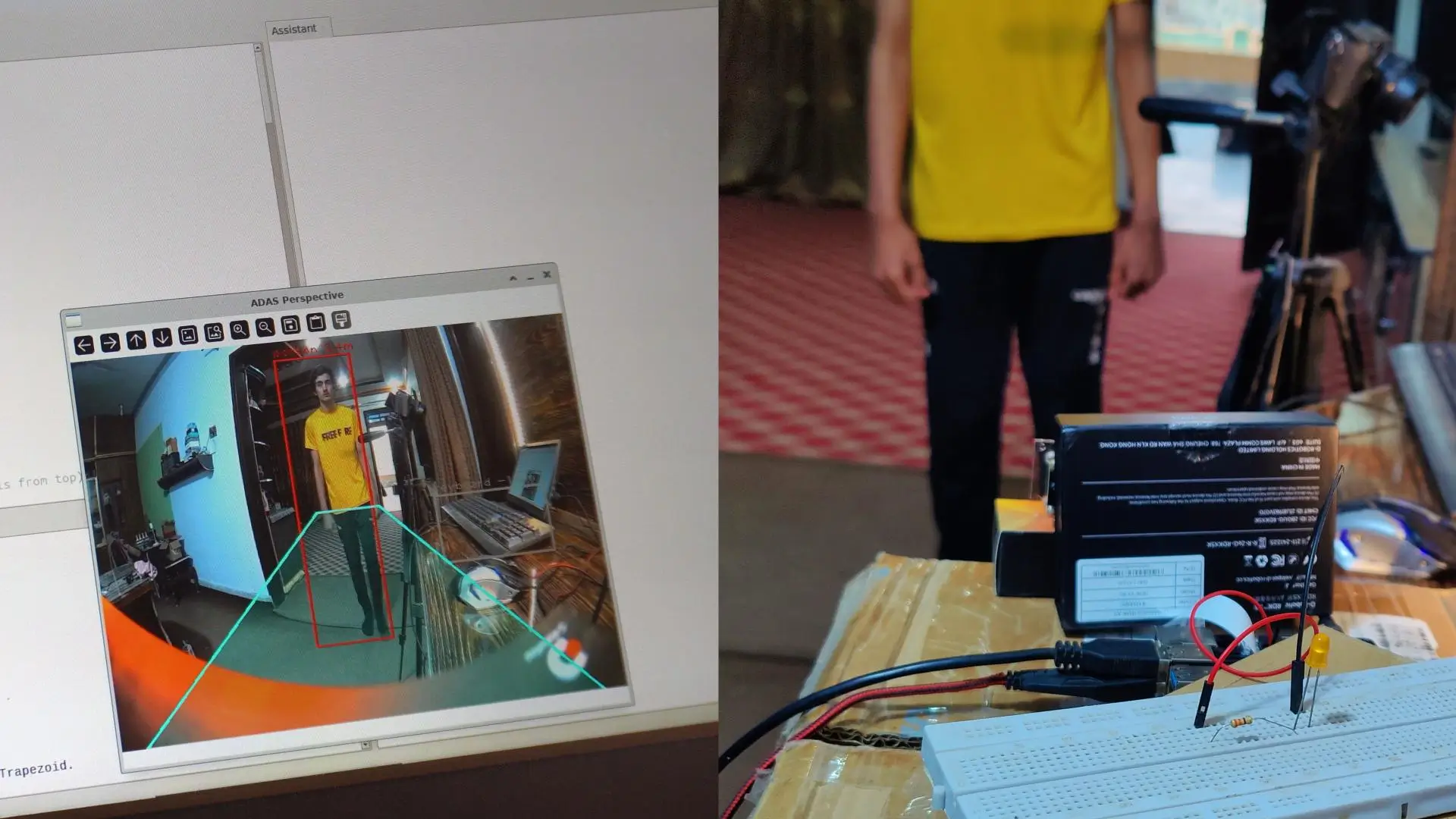
Detecting vehicles, people, and road objects in real time.
All running on the RDK X5.
Projects with Body Skeleton & Wireless Monitoring
Don’t Touch Your Face
This project uses full body skeleton tracking.
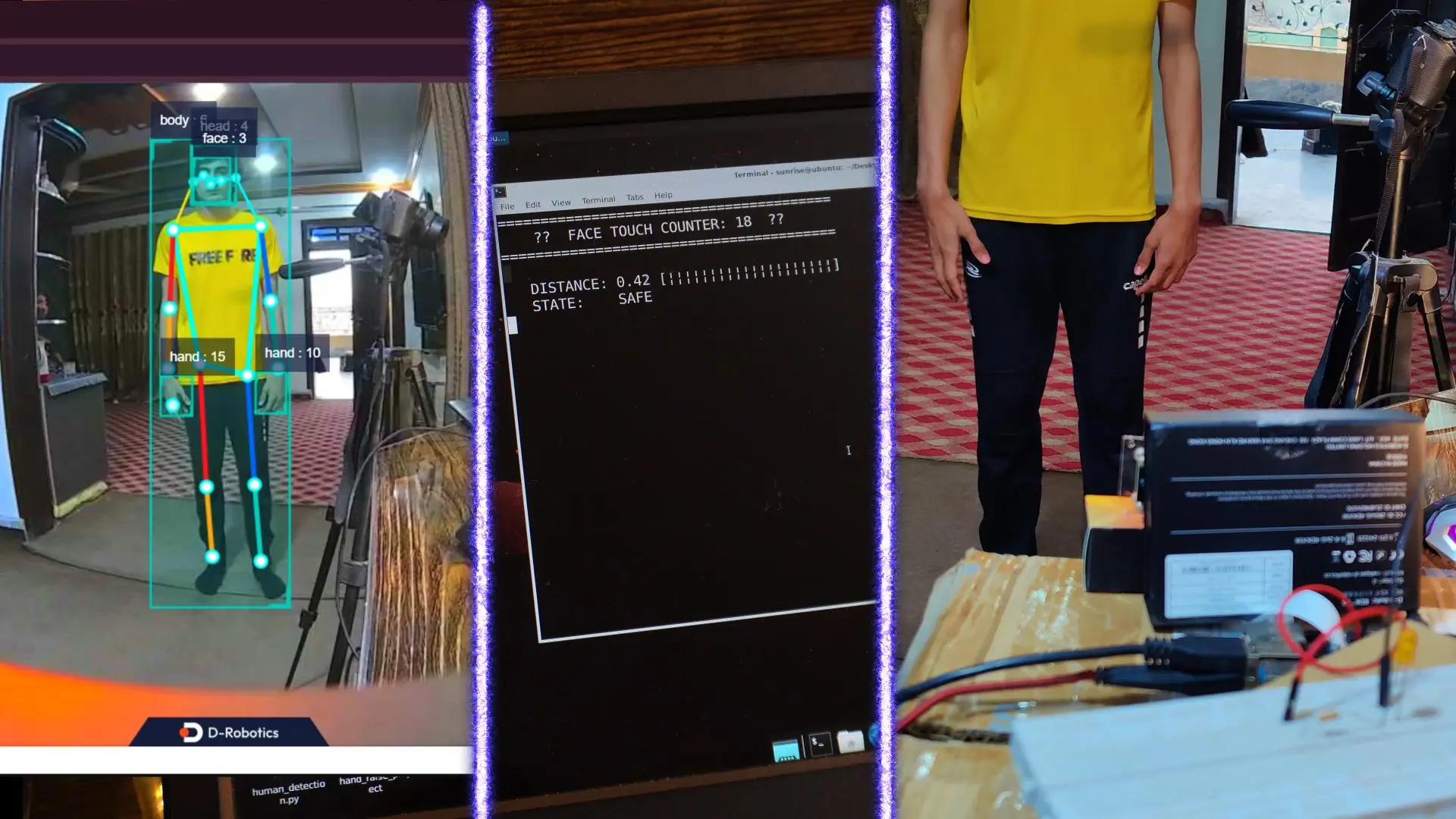
If the person touches their face…
The LED turns ON.
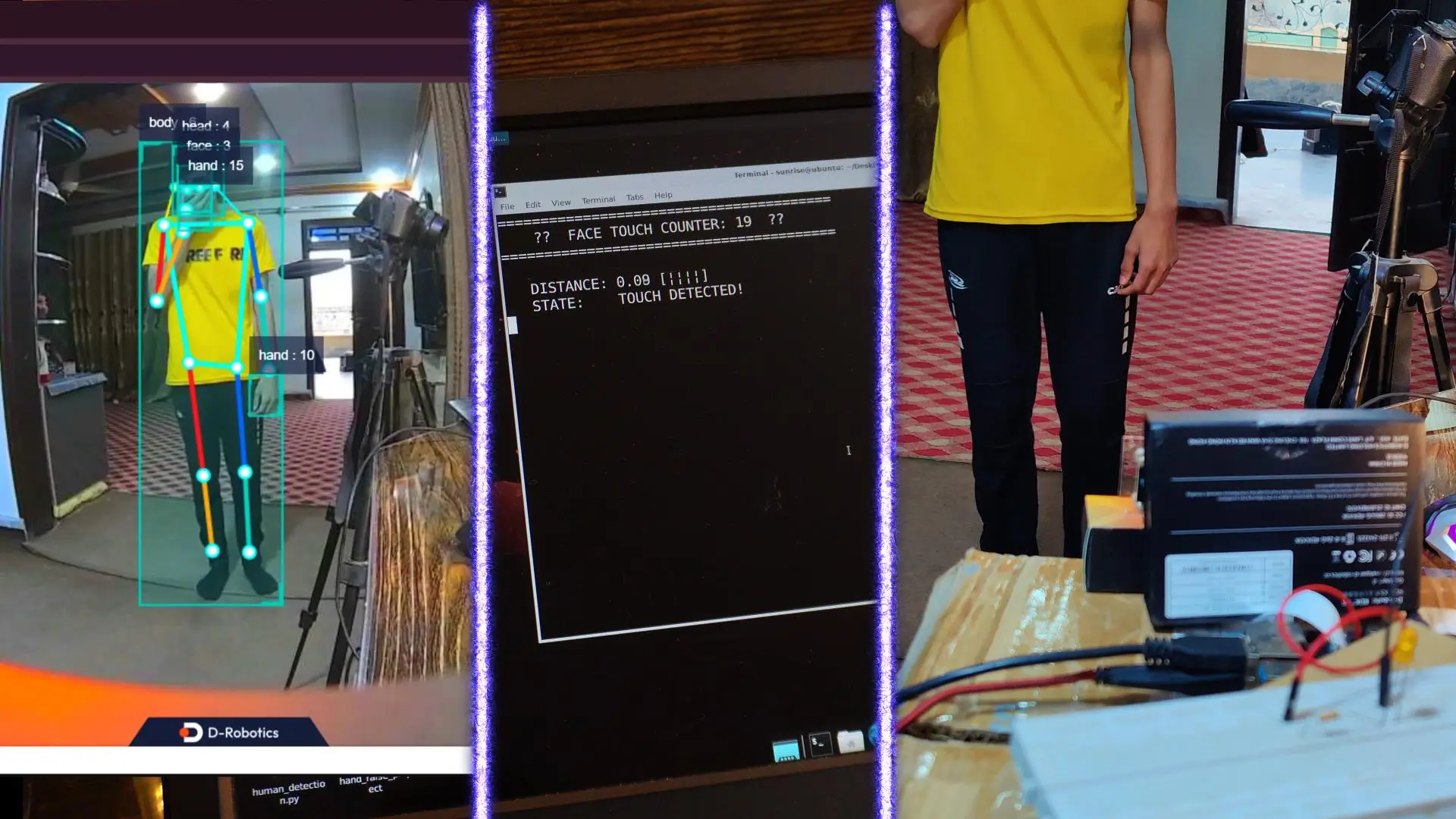
That LED can be anything… buzzer, alarm, or notification.
Using the same concept, you can build don’t touch sensitive equipment alerts in labs, hand-to-machine safety systems in factories, infection-control systems in hospitals, or child-safety alerts when someone touches restricted areas. The logic stays the same; AI watches movement, understands touch, and reacts in real time.
Fall Detection (Life Saver)
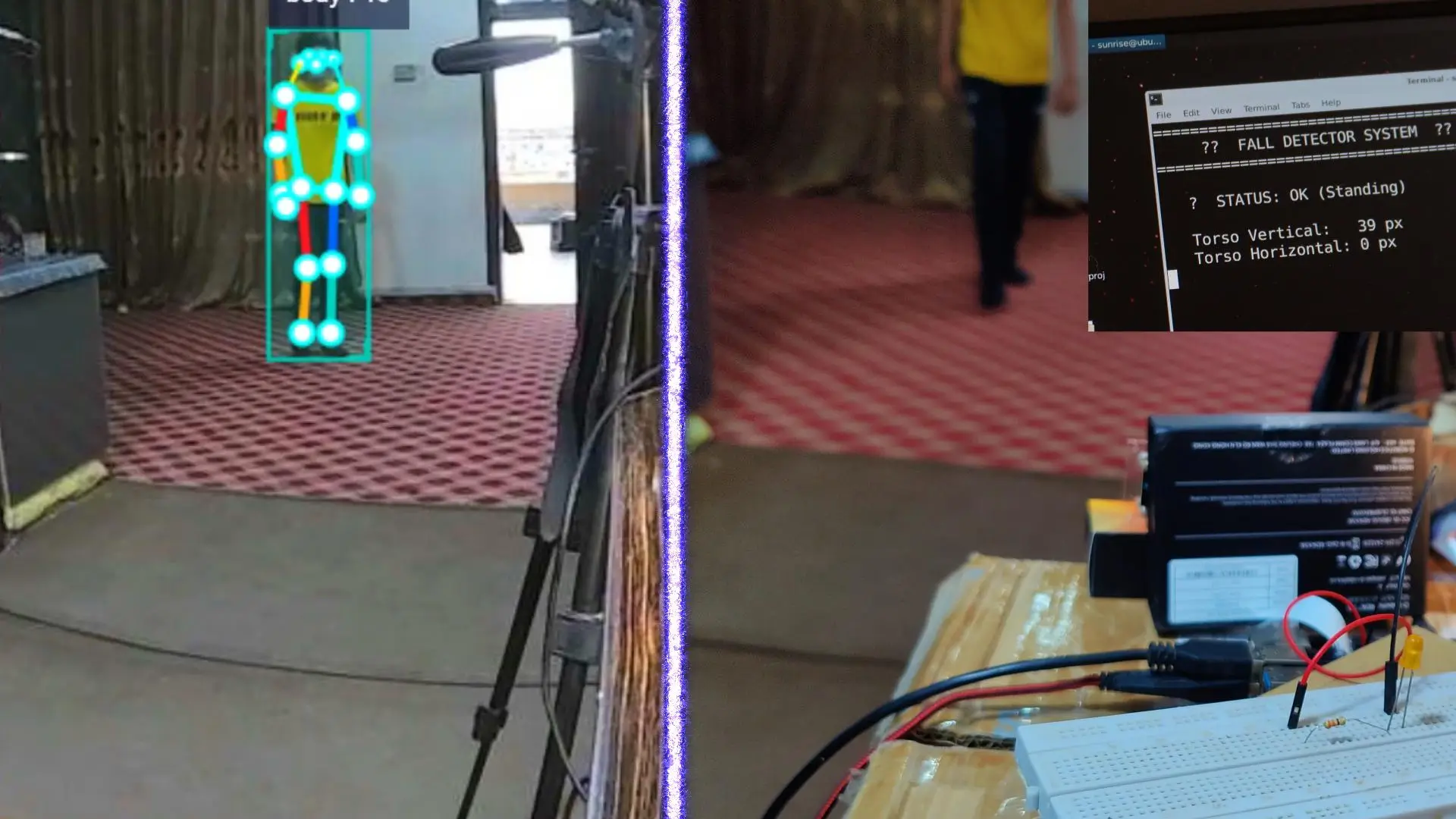
This is fall detection for elderly people.
If someone falls, the system detects it immediately.
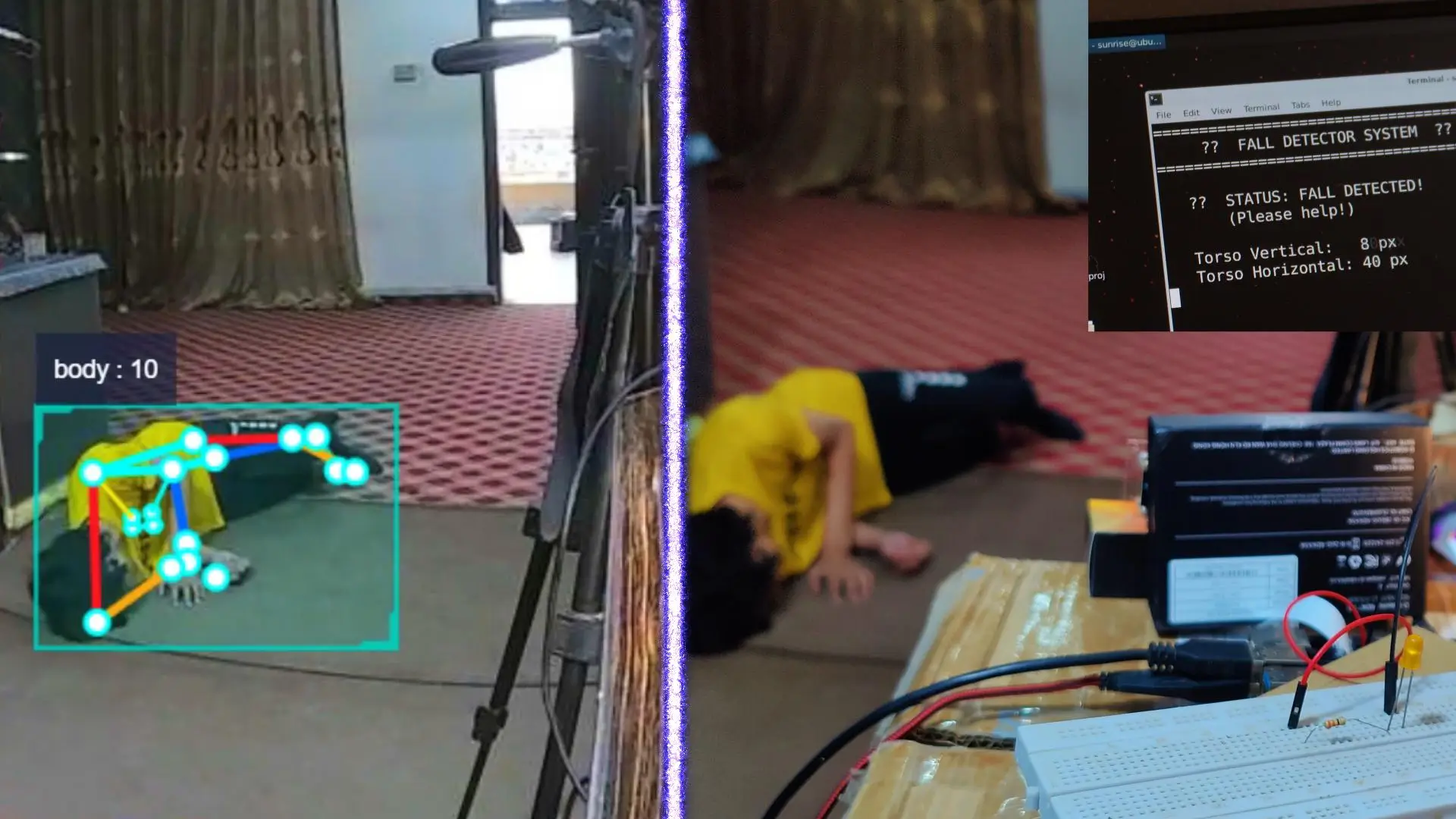
This can literally save lives.
Now you might be thinking; when someone falls, how will others know?
For now, I am using this LED as an indicator, just for demonstration.
But instead of an LED, you can easily connect a buzzer, send a text message to a family member, trigger a phone call, or even send an email alert.
So the moment a fall is detected, help can be notified without any delay.
Right now, this is just a demo, but in the upcoming videos, we’ll build all these versions step by step, in full detail.
Gym-Level Squats Counter
This squats counter is designed for real gyms.
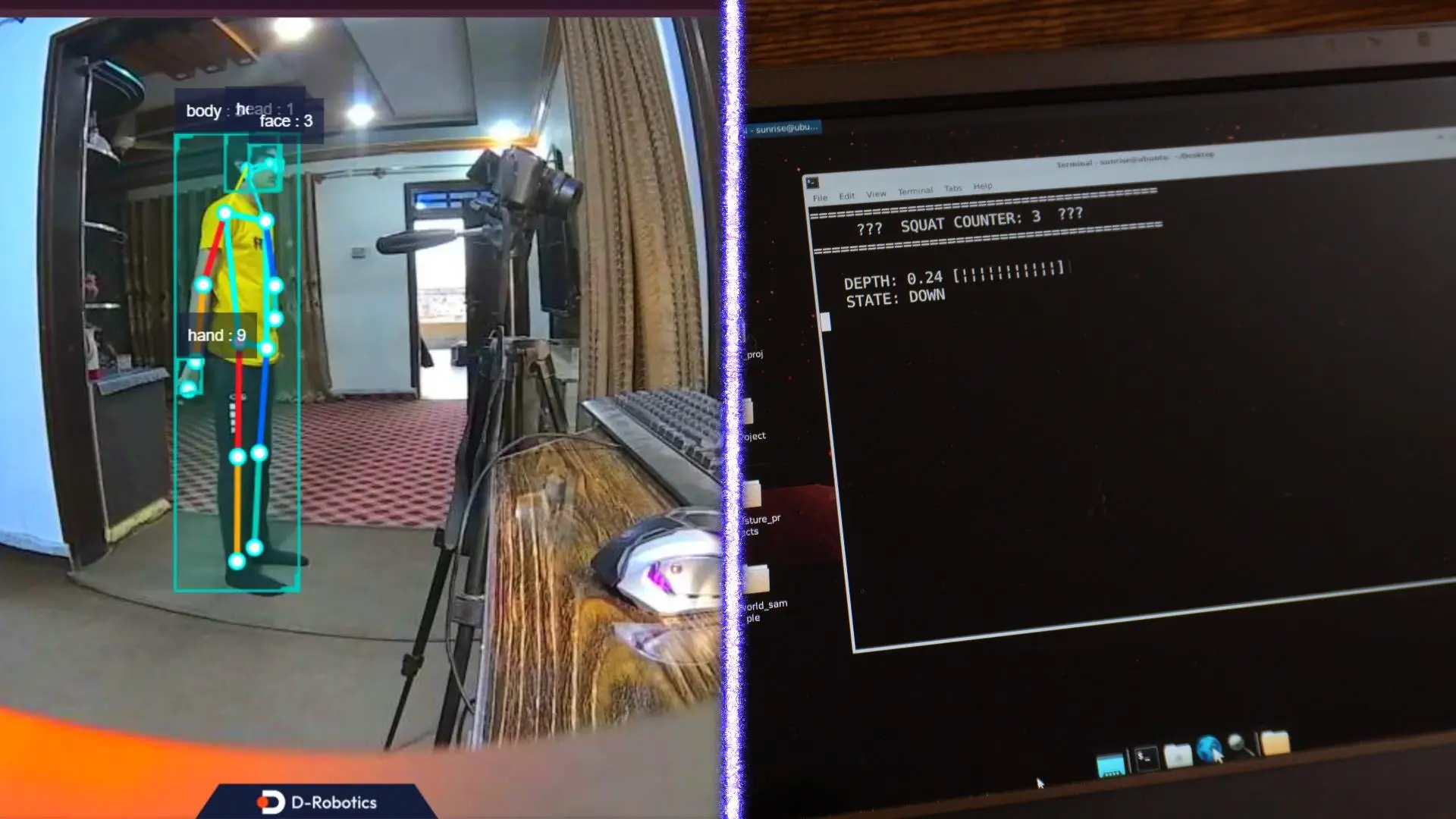
It calculates joint angles using skeleton data.
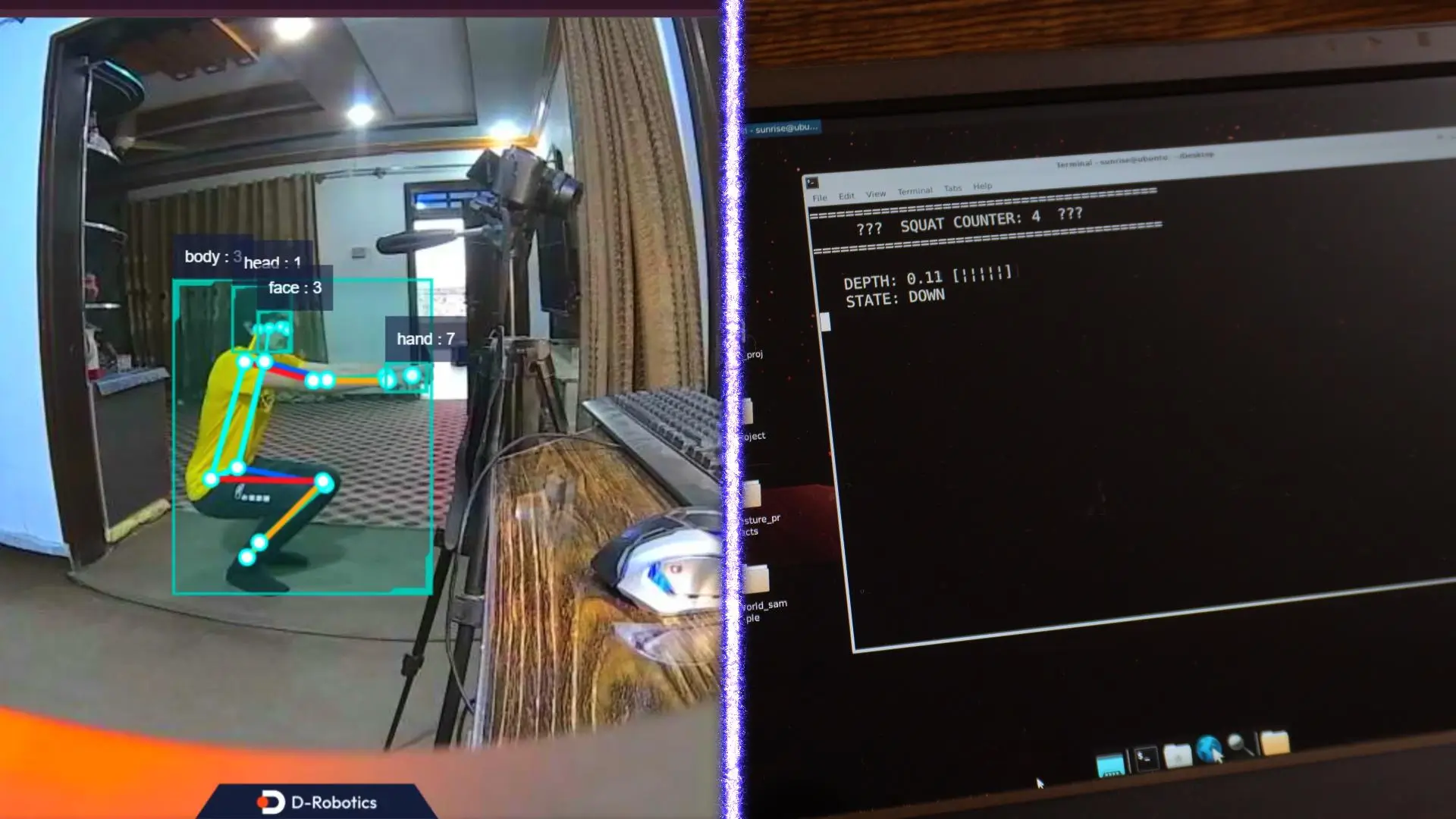
Not guesses… real math.
Trash Detection on Floor
This is trash detection on the floor.

If trash is detected…
The LED turns ON.

But this LED is just a demo.
Instead of an LED, you can control a robot’s motors.
That means the robot can move toward the trash, avoid it, or even pick it up.

So you can see how a complex, real-world project can be built very easily using the RDK X5.
I have built many more AI projects, and in the upcoming videos, we will build them step by step.
So, that’s all for now.
Frequently Asked Questions
What is the RDK X5 Edge AI board?
The RDK X5 is a compact edge AI board that runs real-time computer vision projects without a PC, cloud, or external AI accelerator.
How does RDK X5 improve CCTV systems?
It enables real-time monitoring, automatic recording with custom regions, human detection, and date/time stamps without continuous recording.
Can I track objects or people using RDK X5?
Yes, it can detect and track people, objects, and even body skeletons in real time, triggering LEDs, alarms, or notifications.
Is RDK X5 suitable for drones?
Absolutely. It can run AI on-board drones for obstacle detection, autonomous navigation, and target tracking with Pixhawk flight controllers.
How does fall detection work on RDK X5?
The system uses AI to detect when a person falls and can trigger an LED, buzzer, text alert, or email to notify caregivers instantly.
Can RDK X5 detect gym exercises like squats?
Yes, it uses body skeleton tracking to count squats accurately, calculate joint angles, and provide real-time feedback.
What sensors or components do I need for these projects?
You need the RDK X5 board, a compatible camera (stereo or HD), optional HDMI screen, keyboard/mouse, and other components like ESP32 or Arduino Nano for additional features.
How do I set up a real-time object detection project on RDK X5 Edge AI?
Connect a compatible camera to the RDK X5, power it on, and load your object detection program. The board handles inference locally in real time.
Can RDK X5 run YOLOv10 for autonomous drones?
Yes, YOLOv10 can run on RDK X5 for drones to detect obstacles, track moving targets, and navigate autonomously without cloud processing.
How does zone-based recording work in RDK X5 CCTV systems?
You define custom regions of interest. The system only records when movement is detected within the region and after a preset duration, saving storage.
Is it possible to monitor empty or occupied chairs with RDK X5?
Yes, using AI-based detection, the RDK X5 can identify if a chair or bed is occupied, triggering LEDs, notifications, or connected systems in real time.
What are the steps for implementing fall detection with RDK X5 Edge AI?
Use body skeleton tracking to monitor posture. When a fall is detected, the system can trigger an LED, buzzer, SMS, email, or automated alert.
How accurate is the RDK X5 for gym exercise counters like squats?
It calculates joint angles using skeleton data, providing precise counting and movement analysis, suitable for personal or commercial gym setups.
Can RDK X5 detect and locate trash on the floor automatically?
Yes, the AI vision system identifies trash in real time and can activate LEDs or control a robot to clean or avoid objects.
Do I need a PC or cloud service to run RDK X5 Edge AI projects?
No, all AI processing, object detection, and decision-making are performed entirely on the RDK X5 board.
Which programming tools are recommended for RDK X5 projects?
You can use Python with OpenCV, MediaPipe, and YOLO libraries. VNC or SSH allows remote control for monitoring and programming.
What real-world applications can be built using RDK X5 Edge AI Projects?
Applications include smart CCTV, autonomous drones, ADAS systems, fall detection, gym monitoring, trash detection, industrial automation, and lab safety alerts.
Watch Video Tutorial:

Discover more from Electronic Clinic
Subscribe to get the latest posts sent to your email.